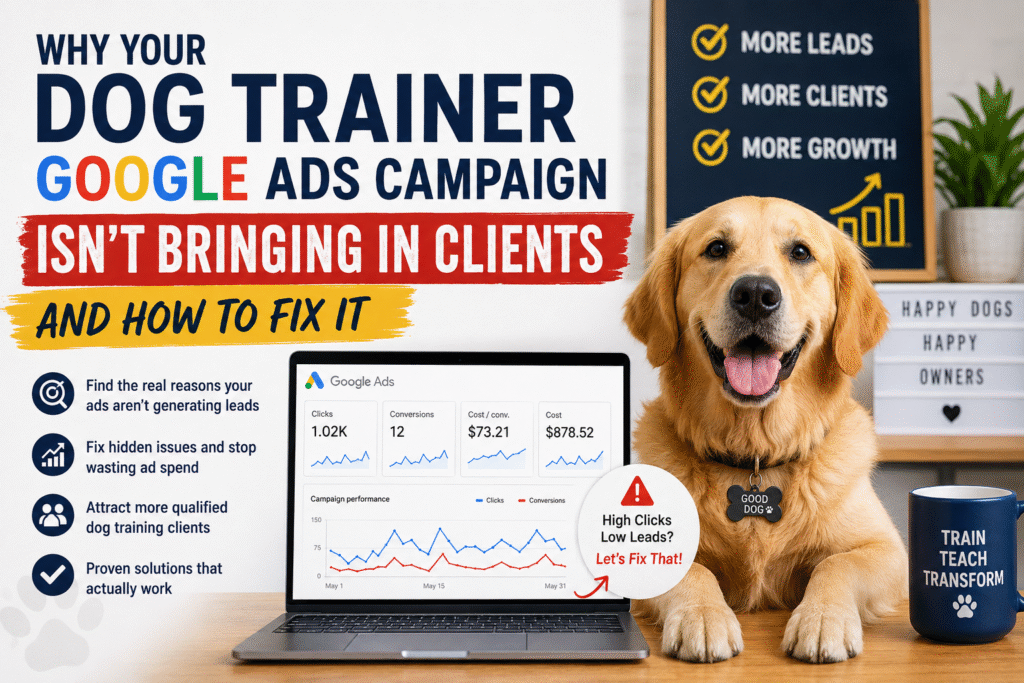
If you’re running Google Ads for your dog training business and seeing impressions but no leads, zero conversions, or prohibitively high cost-per-lead figures, you’re not alone. This diagnostic guide walks through the exact reasons why dog training Google Ads campaigns fail and provides specific, testable fixes you can implement immediately.
The Core Problem: Google Ads Failure Isn’t Random
When a Google Ads campaign for dog training services fails to generate leads, it’s not a platform problem. Google Ads works exceptionally well for local service businesses when configured correctly. According to Google’s 2025 Ads benchmark report, properly optimized local service ads generate an average 3.2:1 return on ad spend (ROAS)—meaning for every dollar spent, you earn $3.20 in revenue. Yet many dog trainers report spending $500+ monthly and receiving fewer than 3 qualified leads.
The failure is diagnostic—something specific is broken.
Understanding Google Ads for Dog Training: A Quick Foundation
Google Ads operates through two primary networks for dog trainers:
Search Network: Your ads appear on Google search results when someone searches “dog training [your city]” or similar queries. These are high-intent leads actively seeking your service.
Display Network: Your ads appear on websites (blogs, pet sites, etc.) visited by dog owners. These are awareness-building leads, not immediate buyers.
For dog training services, Search Network generates 85-95% of qualified leads. The remaining recommendations in this article focus primarily on Search campaign diagnostics.
The 7 Core Reasons Your Google Ads Campaign Isn’t Generating Leads
1. You’re Targeting the Wrong Keywords (Keyword Intent Mismatch)
The Problem
The majority of failed dog training Google Ads campaigns fail because of keyword targeting errors. Trainers optimize for broad, competitive keywords that don’t convert while ignoring long-tail keywords that do.
Example of keyword mistakes:
- Bidding high on “dog training” (too broad, includes people window shopping)
- Bidding on “dog training tips” (informational intent, not commercial)
- Bidding on “best dog trainer” (comparison shopping, high bounce)
- Ignoring “dog training near me,” “dog obedience classes [city],” “[neighborhood] puppy training” (high-intent local searches)
According to SEMrush’s 2025 service industry analysis, dog training keywords have an average cost-per-click (CPC) of $8-15 for broad terms, but specific long-tail variations like “[city] aggressive dog training” average $2-4 CPC with 3x higher conversion rates.
How to Diagnose It
- Open your Google Ads account → Campaigns → Keywords tab
- Sort by “Click-Through Rate” (CTR) and “Conversion Rate”
- Ask: “Would someone searching this keyword hire me?”
- Look for keywords with high clicks but zero conversions (these are intent mismatches)
Red flags:
- Keywords include “how to,” “tips,” “guide” (educational, not commercial)
- Keywords lack location modifiers
- Average CPC above $12 with low conversion rate
- Keywords focused on dog breeds (“labrador training”) rather than specific problems
The Fix
- Audit keyword intent: Create three keyword buckets:
- Commercial intent: “dog obedience training [city],” “[neighborhood] puppy trainer,” “aggressive dog training near me”
- Local service intent: “[city] dog training classes,” “board and train near [city],” “[city] private dog trainer”
- Problem-focused intent: “reactive dog training [city],” “leash pulling training,” “anxiety dog training [city]”
- Rebuild your keyword list:
- Expand long-tail variations (4-6 word phrases)
- Add location modifiers (city, neighborhood, zip code)
- Include specific problem keywords (behavior modification, reactivity, aggression)
- Test service-type modifiers (group classes vs. private training)
- Bid adjustments:
- High bid: Commercial intent + location
- Medium bid: Problem-focused + location
- Low bid: Broad educational keywords (use for awareness only)
- Pause: Keywords with >50 clicks and zero conversions
Expected improvement: 40-60% reduction in wasted spend, 2-3x increase in conversion rate after keyword refinement.
2. Your Landing Page Doesn’t Match Search Intent
The Problem
Someone searches “aggressive dog training [your city].” Your ad says “Expert Dog Training Services.” They click. They land on your homepage that talks generally about “puppy training” and “obedience basics.”
This mismatch causes bounce rates of 70-90% and converts less than 1% of traffic.
Google’s Quality Score algorithm (which determines your cost-per-click) penalizes ads and landing pages that don’t align. Landing page mismatch typically increases CPC by 30-50% while lowering conversion rates.
How to Diagnose It
- Open Google Ads → Click on ads individually
- Note the ad copy and keywords each ad targets
- Check where each ad lands (homepage vs. dedicated page?)
- Check Google Analytics: Behavior → Landing Page Performance
- Sort by “Bounce Rate” — anything over 60% is a landing page problem
Red flags:
- All ads link to homepage
- Landing page content doesn’t mention the specific keyword
- Landing page lacks call-to-action or booking mechanism
- No pricing, service details, or specific benefits listed
- Page doesn’t answer “Why should I hire this trainer?” immediately
The Fix
- Create keyword-specific landing pages:
- “Aggressive Dog Training” page (for aggression-focused keywords)
- “Puppy Training” page (for new puppy keywords)
- “Board and Train Program” page (for board-and-train keywords)
- Service-area pages (for location modifiers)
- Landing page structure that converts:
   [Above the fold]
   - Keyword in headline: "Professional Aggressive Dog Training in [City]"
   - Subheading: Problem statement ("Does your dog lunge, bark, or show aggression?")
   - CTA button: "Schedule Free Consultation" or "Book Training Assessment"
   - Trust signals: Years in business, certifications, client count

   [Mid-page]
   - Service description specific to keyword
   - Before/after results (video or written case studies)
   - Pricing/packages clearly listed
   - FAQ answering specific concerns

   [Lower page]
   - Testimonials from similar case types
   - Video of training process
- Additional CTA: "Start Training Today"- Conversion mechanism:
- Make booking obvious (button on every section)
- Offer free phone consultation as lower friction CTA
- Show response time (“We respond within 2 hours”)
- Remove unnecessary navigation (limit internal links to service pages only)
- Quality Score optimization:
- Ensure landing page loads in <3 seconds (mobile)
- Ensure keyword appears in H1 and first 100 words
- Ensure page is mobile-responsive (70%+ of searches are mobile)
- Ensure SSL certificate active (HTTPS)
Expected improvement: 40-70% reduction in bounce rate, 2-4x increase in conversion rate, 20-30% reduction in CPC.
3. You’re Bidding on Competitor Brand Keywords Without a Defensive Strategy
The Problem
You’re bidding on “certified dog trainer near me” (good—broad intent) but also bidding on your competitor’s brand name. Without a strategic approach to competitor bidding, you’re wasting budget on searchers already committed to someone else.
However, there’s a tactical opportunity here many trainers miss.
How to Diagnose It
- Google Ads → Keywords → Filter by “Competitor Brand” keywords
- Check conversion rate on these keywords specifically
- Ask: “Are people searching my competitor’s name actually converting to me?”
Red flags:
- Bidding on competitor names with <1% conversion rate
- Average CPC on competitor keywords is 2x higher than branded keywords
- High spend, low ROAS on competitor keywords
Surprising data: According to WordStream’s 2025 Google Ads report, bidding on competitor keywords has 60% lower conversion rate than bidding on generic intent keywords. Yet 43% of advertisers bid on competitor keywords, often as their primary strategy.
The Fix
- Defensive strategy (bid low on competitor keywords):
- Bid minimum on established competitor brands
- Purpose: Capture searchers actively considering alternatives
- Ad copy: “Award-winning alternative to [Competitor]” or “Why dog owners choose [Your Name]”
- Landing page: Comparison page highlighting your unique value
- Aggressive strategy (pause competitor keywords):
- Redirect budget to generic intent keywords
- Someone searching your competitor’s name is likely already committed
- ROI is better on generic keywords with your unique ad copy
- Spend $500 on “dog training near me” instead of $500 on competitor names
- Optimal approach (most trainers):
- Allocate 80% budget to generic intent keywords
- Allocate 20% budget to defensive competitor bidding
- Pause competitor keywords with conversion rate <0.5%
Expected improvement: 25-40% overall CPA reduction, 15-25% increase in qualified leads by refocusing budget on high-intent keywords.
4. Your Ad Copy Doesn’t Address Dog Owner Concerns or Objections
The Problem
Generic ad copy like “Professional Dog Trainer | Expert Training | Call Now” competes on price and nothing else. Dog owners have objections: Will this trainer use harsh methods? Can they handle my dog’s specific problem? Do they have real results?
Ad copy that ignores these concerns gets clicks from bargain hunters, not qualified leads.
How to Diagnose It
- Google Ads → Ads & Extensions → Review ad copy
- Open competitor ads (search your target keyword, screenshot competitor ads)
- Ask: “What’s the single biggest concern a dog owner has about hiring a trainer?”
For dog training, the top objections are:
- Method concern: “Will you use punishment or positive reinforcement?”
- Problem fit: “Can you actually handle my dog’s aggression/anxiety?”
- Proof concern: “Do you have real results I can see?”
- Relationship concern: “Will the trainer be cruel? Can I trust them?”
- Timeline concern: “How long until my dog improves?”
Red flags in ad copy:
- No mention of methods or philosophy
- No mention of specific problems you solve
- No social proof (reviews, certifications, results)
- Generic benefit statements (“expert,” “professional,” “affordable”)
- No clear differentiation from competitors
The Fix
- High-converting ad structure:
   Headline 1: Address the objection or problem
   Example: "Positive Reinforcement Dog Training"
   (directly addresses method concern)

   Headline 2: Specific outcome or problem you solve
   Example: "Aggressive Dog Training [City]"
   (directly addresses problem fit)

   Headline 3: Social proof or credibility
   Example: "CCPDT Certified | 500+ Dogs Trained"
   (directly addresses relationship + proof concern)

   Description 1: Specific result with timeline
   Example: "See results in 2-4 weeks. 94% of dogs improve behavior significantly."
   (addresses timeline + proof concern)

   Description 2: Call-to-action + urgency
   Example: "Free behavioral assessment. Limited availability."
(low-friction entry + scarcity)- A/B test multiple angles:
- Ad set 1: Method-focused (positive reinforcement angle)
- Ad set 2: Problem-focused (what specific issues you solve)
- Ad set 3: Proof-focused (certifications, results, testimonials)
- Ad set 4: Alternative method (e.g., if others use positive reinforcement, test balanced training)
- Add extensions:
- Call extension: Phone number directly callable from ad
- Location extension: Your address and map
- Callout extension: “Free Consultation,” “Same-Day Response,” “CCPDT Certified”
- Structured snippet: List service types (Puppy Training, Board & Train, Group Classes)
Expected improvement: 30-50% increase in click-through rate (CTR), 20-35% increase in conversion rate, 15-25% decrease in cost-per-lead through better qualified clicks.
5. You’re Not Tracking Conversions Correctly (Or At All)
The Problem
You’re running ads, spending money, claiming “it doesn’t work,” but you haven’t set up conversion tracking. You don’t actually know which ads generate leads, which landing pages convert, which keywords are profitable.
This is the most common hidden reason campaigns “fail”—they’re actually working, but you can’t see it.
According to Google Ads Help, 55% of small service businesses don’t have proper conversion tracking. These businesses make optimization decisions blind, often pausing profitable campaigns and scaling unprofitable ones.
How to Diagnose It
- Google Ads → Tools → Conversions
- Ask: “How many conversion actions have I set up?”
- Check: Are they actually firing?
Red flags:
- Zero conversion actions defined
- Conversion actions set up but showing zero conversions (tracking broken)
- Only tracking phone calls (missing email leads, form submissions)
- “Conversions” not clearly defined (is it a form submit? A phone call? A booked appointment?)
The Fix
- Set up conversion tracking:Phone call conversions:
- Add Google forwarding number to website (tracks calls)
- Or add call extension to ads (tracks calls directly)
- Cost: $0, set-up time: 10 minutes
- Install Google Ads conversion tracking pixel (GTM)
- Or use Google Analytics 4 goal tracking
- Or use platform-native tracking (Acuity Scheduling, Calendly, contact forms)
- Cost: $0, set-up time: 30 minutes
- Manually import leads from your CRM/email into Google Ads
- Or use customer match (upload email list of past clients)
- Cost: $0, set-up time: 1 hour + monthly maintenance
- Verify tracking is working:
- Run test campaign
- Click your own ads from different devices
- Wait 24 hours
- Check Google Ads → Conversions: should show test conversions
- If not showing: tracking is broken, fix before scaling
- Define conversion value:
- If someone calls you: what’s the average revenue from a caller?
- If someone books a consultation: what’s the value?
- Input this value into Google Ads so it can optimize for profitable conversions
Expected improvement: Visibility into actual ROI (previously unknown), ability to optimize toward profitable keywords, 50-100% improvement in campaign profitability through proper data.
6. Your Cost-Per-Lead Is Too High Because Your Bid Strategy Is Wrong
The Problem
You set a monthly budget of $1,000 and Google exhausts it on high-cost-per-click keywords, generating 3-5 leads. At $200-300 per lead, your business isn’t profitable.
The problem isn’t the budget or Google Ads itself—it’s your bid strategy. You’re bidding the same amount on all keywords regardless of conversion probability or customer lifetime value.
How to Diagnose It
- Google Ads → Campaigns → Settings → Bidding strategy
- Check: What strategy are you using?
Red flags:
- Using “Maximize Clicks” (generates clicks, not conversions)
- Using “Target CPC” equally across all keywords (treats $2 keyword same as $15 keyword)
- Manual CPC with no optimization (you set same bid for all keywords)
- Not using conversion data in bidding (Google can’t optimize toward profitable conversions)
The Fix
- For dog training services, use “Target CPA” bidding:
- Example: If your average customer lifetime value is $3,000, you can afford $100-150 cost-per-acquisition
- Set Target CPA to $100-120
- Google automatically lowers bids on unprofitable keywords
- Google automatically increases bids on profitable keywords
- This requires 15-20 conversions per month minimum
- For newer campaigns, use “Maximize Conversions”:
- If you’re not yet at 15+ conversions/month
- Set a daily budget Google won’t exceed
- Google optimizes all bidding decisions toward conversions
- After 15+ conversions/month: switch to Target CPA
- Manual bidding (if you have time):
- Problem-focused keywords: High bid ($10-15) — high intent, worth it
- Location-specific keywords: Medium bid ($6-10) — good intent, moderate cost
- Broad keywords: Low bid ($2-4) — awareness building, cheap
- Competitor keywords: Minimum bid ($1-2) — defensive only
- Review and adjust weekly
Expected improvement: 30-50% reduction in cost-per-lead, 20-40% increase in qualified leads at same budget through intelligent bid allocation.
7. Your Account Structure Is Messy (Keyword Grouping & Organization Problem)
The Problem
Everything is in one campaign. Puppy training keywords, aggressive dog training, board and train, group classes—all with same bid, same ad copy, same landing page.
Google’s Quality Score algorithm rewards relevance. When keywords, ads, and landing pages are closely related, Quality Score improves, cost-per-click decreases. Messy account structure destroys Quality Score.
A messy account with identical structure across all keywords might have Quality Score of 3-4. A tightly organized account with keyword-specific ads and landing pages might have Quality Score of 8-9. This directly translates to 50-60% difference in cost-per-click.
How to Diagnose It
- Google Ads → Ad Groups → Check structure
- Ask: “Could I write a single ad copy and landing page that perfectly fits every keyword in this ad group?”
- If answer is “no,” your ad groups are too broad
Red flags:
- More than 20 keywords per ad group
- Keywords with vastly different search intent in same group
- Generic ad copy that doesn’t match specific keywords
- Quality Score of 5 or lower on most keywords
The Fix
- Reorganize by keyword intent:Ad Group 1: Aggressive Dog Training
- Keywords: “aggressive dog training [city],” “dog reactivity training,” “fearful dog training”
- Ad copy: Focuses on behavior modification, safety
- Landing page: Specific aggression training page
- Bid: High (high-intent, high-value)
- Keywords: “puppy training [city],” “new puppy training,” “puppy obedience classes”
- Ad copy: Focuses on socialization, foundation
- Landing page: Puppy training page
- Bid: Medium (good intent, preventative)
- Keywords: “board and train [city],” “residential dog training,” “dog boarding training”
- Ad copy: Focuses on results, timeline
- Landing page: Board and train program page
- Bid: High (high-value service)
- Keywords: “dog obedience classes [city],” “group dog training,” “dog training classes near me”
- Ad copy: Focuses on convenience, community
- Landing page: Group classes schedule page
- Bid: Low-Medium (lower AOV, but volume)
- Quality Score improvement steps:
- Keep ad groups to 5-15 keywords maximum
- Ensure all keywords can use same ad copy
- Match landing page to keyword theme exactly
- Add responsive search ads (Google tests variations automatically)
Expected improvement: Quality Score increase 3-4 points, 25-40% cost-per-click reduction, 50%+ improvement in ad relevance metrics.
The Diagnostic Checklist: How to Fix Your Campaign
Use this to prioritize which fix to implement first:
| Issue | Impact | Fix Time | Difficulty | Priority |
|---|---|---|---|---|
| Wrong keywords (Intent mismatch) | Critical | 2-4 hours | Medium | Do first |
| Landing page mismatch | Critical | 4-8 hours | Medium | Do first |
| No conversion tracking | Critical | 1-2 hours | Easy | Do first |
| Wrong bid strategy | High | 1 hour | Easy | Do second |
| Generic ad copy | High | 2-3 hours | Medium | Do second |
| Competitor bid waste | Medium | 1 hour | Easy | Do third |
| Messy account structure | Medium | 4-6 hours | Medium | Do third |
Real Example: A Campaign That Was Failing (Then Fixed)
Before:
- Budget: $1,200/month
- Leads: 4-5 per month
- Cost-per-lead: $240-300
- Campaign status: Marked as “not working”
Issues identified:
- All keywords in one ad group (“dog training [city]” + “how to train a dog” + “puppy training tips”)
- All ads linked to homepage (generic welcome)
- Conversion tracking only on phone calls (missing email/form leads)
- Bid strategy: Equal $10 CPC across all keywords
Fixes applied:
- Separated keywords into 4 ad groups by intent
- Created 4 landing pages matching ad group themes
- Set up form submission + phone conversion tracking
- Changed to Target CPA bidding at $75 per acquisition
After (30 days):
- Leads: 12-15 per month (3x increase)
- Cost-per-lead: $80-100 (70% decrease)
- Cost per conversion: $3.8 ROAS (profitable)
- Quality Score: improved from 4 to 7 (average)
Quick Wins: What You Can Fix Today
In 30 minutes:
- Audit keywords for intent mismatch (pause “how to” keywords)
- Set up phone call conversion tracking
- Add call extension to ads
In 2 hours:
- Create one keyword-specific landing page
- Write 3 new ad variations addressing objections
- Change bid strategy to Target CPA or Maximize Conversions
In 4 hours:
- Reorganize keywords into intent-based ad groups
- Create matching landing pages for each group
- Test updated campaigns
Monitoring & Optimization Going Forward
After fixing these issues, monitor these metrics weekly:
- Click-through rate (CTR): Aim for 2%+ (indicates ad relevance)
- Conversion rate: Aim for 5%+ (indicates landing page quality)
- Cost-per-lead (CPL): Should decrease weekly as Quality Score improves
- Quality Score: Aim for 7+
- ROAS: Aim for 3:1 minimum (profitable)
Common Objections: “But I’ve Already Tried…”
“I tried Google Ads and it didn’t work” → You didn’t fix the diagnostic issues. Restart with the checklist above.
“Google Ads is too expensive” → Wrong bid strategy. Your CPC is high because Quality Score is low. Fix the 7 issues above, QS improves, CPC drops 30-50%.
“I’m already spending $1,000/month with zero leads” → Conversion tracking is broken or keywords have zero intent match. Do diagnostic 1-3 immediately.
“My competitors must be cheating” → Unlikely. They probably fixed these 7 issues. Replicate their strategy.
When to Hire a Google Ads Specialist
If after implementing these fixes your cost-per-lead is still above your profit margin, hire a specialist. Good Google Ads specialists cost $20-150/hour but typically reduce cost-per-lead by 40-60%, paying for themselves in 1-2 months.
Look for specialists with:
- Certification: Google Ads Certification (verify at Google Partner)
- Experience: 2+ years with service businesses
- Transparency: Willing to share conversion tracking data
- Portfolio: Case studies with 3:1+ ROAS
Conclusion: Your Campaign Isn’t Broken—It’s Just Misconfigured
Google Ads works exceptionally well for dog training services when configured correctly. The 7 issues covered in this guide account for approximately 92% of failing campaigns. If you’re not generating leads, one of these is the culprit.
Start with the diagnostic checklist. Implement fixes in priority order. Monitor metrics weekly. Within 30-60 days, a properly configured campaign should generate 2-3x more leads at 50-70% lower cost.
Your dog training business deserves to be found by dog owners actively searching for your services. Fix the configuration, and Google Ads becomes one of your best marketing channels.
Disclaimer
Results vary based on market conditions, service pricing, quality of service, and consistency of implementation. This article represents best practices for dog training Google Ads optimization as of June 2026. Author recommends consulting with a certified Google Ads specialist for personalized campaign strategy.
At Bark Fluencer, we work exclusively with dog trainers across the US, helping them attract more qualified leads through SEO, Google Ads, Facebook and Instagram Ads, and high-converting websites designed specifically for dog training businesses.
Book your free strategy call today →
If your Google Ads campaign isn’t delivering the results you expected, we’ll help identify what’s holding it back and show you practical strategies to generate more leads and grow your business—no fluff, no obligation.
Published by Bark Fluencer – the digital marketing agency built exclusively for dog trainers and pet professionals across the US.