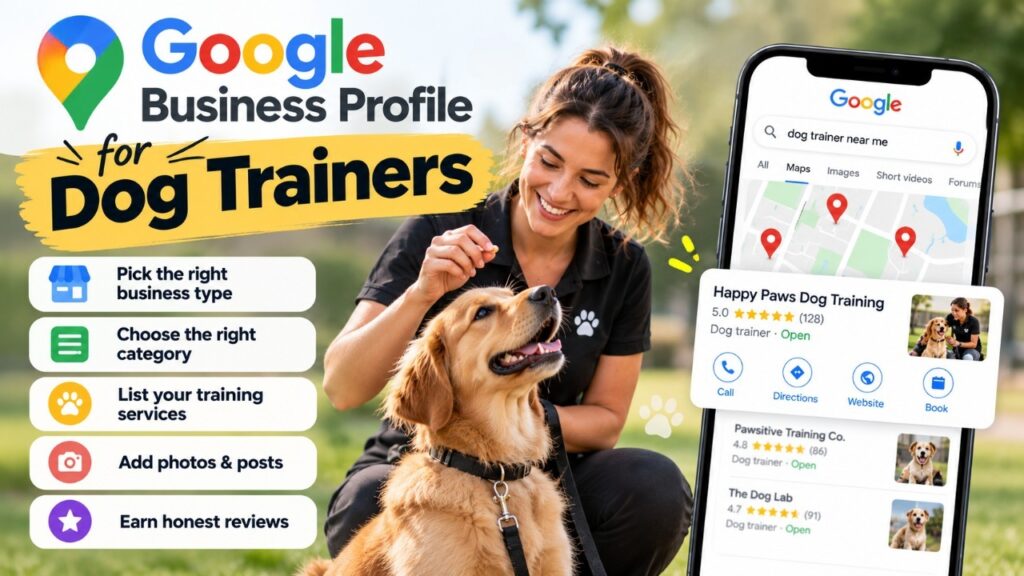
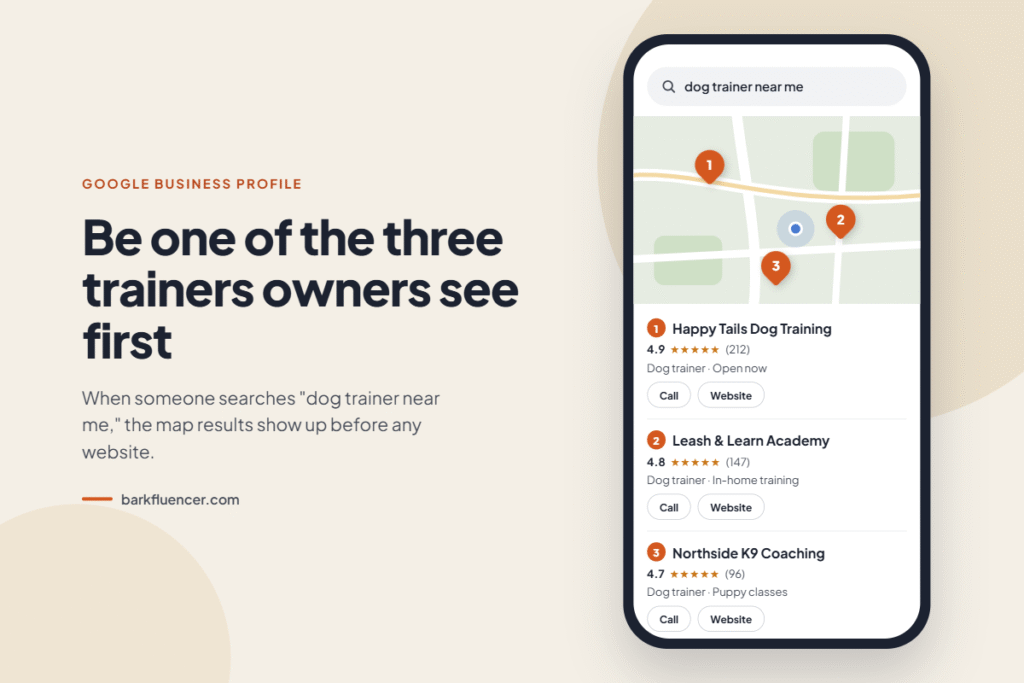
A dog owner in your town types “dog trainer near me” into their phone. Three businesses show up on a map above every website. If yours is not one of them, that owner probably never reaches your site at all.
That map box is powered by Google Business Profile. For most local dog trainers, it is the single most valuable free marketing tool they have, and yet plenty of trainer profiles are only half finished.
This guide walks you through setting up and improving your Google Business Profile for dog trainers, step by step. No fluff, just the settings and habits that actually move you up the map.
The quick answer: A Google Business Profile for dog trainers is a free listing that shows your business on Google Search and Maps. To rank in the local results, choose “Dog trainer” as your primary category, set the correct business type (storefront or service area), list every training service you offer, add real photos, and collect honest reviews from every client. Google ranks local listings on relevance, distance, and prominence, so a complete, active, well reviewed profile beats an empty one.
Why Google Business Profile Matters So Much for Dog Trainers
Dog training is a local service. People want someone who can come to their home or who runs classes a short drive away. That is exactly the kind of search Google answers with its map results, often called the “local pack” or “3-pack.”
Your profile is also where many owners decide. They see your star rating, your photos, and your hours before they ever click through to your website. A strong profile can win the call on its own.
How Google decides who shows up
Google has said publicly that local results are based mainly on three things: relevance, distance, and prominence. Here is what each one means for a trainer.
- Relevance: How well your profile matches the search. If someone searches “puppy training classes” and your profile never mentions puppy classes, you look less relevant.
- Distance: How far you are from the person searching, or from the location they typed. You cannot change where you are, but you can make sure Google knows exactly where you work.
- Prominence: How well known your business is. Google says review count and review score factor into local ranking, along with links, articles, and directory listings about you across the web.
Google also states that there is no way to request or pay for a better local ranking. So everything in this guide is about earning it.
Your profile works best alongside your website. If you want the full picture of how the two fit together, our guide on why dog trainers are not getting leads or traffic covers the website side.
Step 1: Pick the Right Business Type Before You Do Anything Else
Trainers often get this setting wrong, and a wrong choice can put your profile at risk of suspension. Google treats businesses in three ways, and dog trainers can fall into any of them.
| Your setup | Example | Business type in Google | Show your address? |
|---|---|---|---|
| Clients come to you only | A training facility with group classes | Storefront | Yes |
| Clients come to you, and you also travel | A facility that also offers in-home lessons | Hybrid | Yes, plus service areas |
| You only travel to clients | In-home or mobile trainer working from home | Service area business | No, hide it |
The rule that matters most for in-home trainers: Google says that if your business doesn’t have a storefront where you receive customers, you must hide your business address. Your profile will then show your service area instead of your street address.
A few more rules from Google worth knowing:
- You can add up to 20 service areas, set by city, ZIP code, or other areas you serve.
- Google recommends keeping your overall area within about 2 hours of driving time from your base.
- Create only one profile per metro area. Duplicate profiles can get your account suspended.
- Google’s business guidelines say service area businesses can’t list a “virtual” office unless that office is staffed during business hours.
Trainer tip: Be honest about your service area. Only list towns you will actually drive to. Google still knows where your real base is when your address is hidden, and a padded service area mostly brings in leads you end up turning away.
Step 2: Set Up and Optimize Your Google Business Profile for Dog Trainers
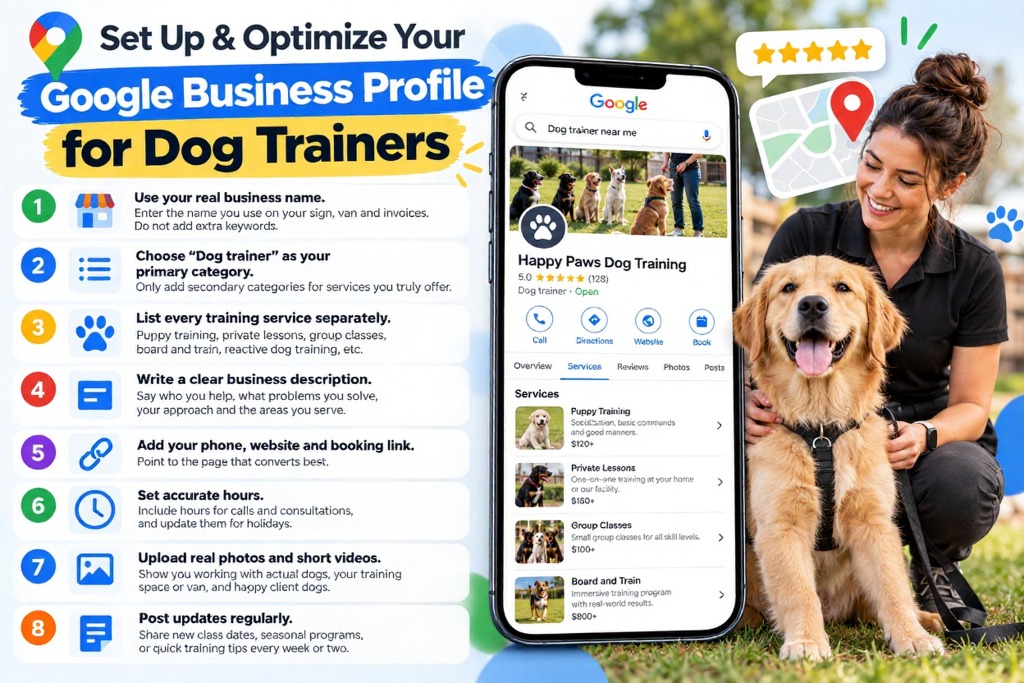
Once your business type is right, work through these settings in order. Each one feeds the relevance signal Google uses to match you with searches.
- Use your real business name. Enter the name you use on your sign, your van, and your invoices. Adding keywords like “Best Dog Trainer Miami” to your name goes against Google’s guidelines and can get your profile suspended.
- Choose “Dog trainer” as your primary category. This is the most important relevance setting on the whole profile. Only add secondary categories for services you truly offer, such as boarding or day care.
- List every training service separately. Puppy training, private lessons, group classes, board and train, reactive dog training, aggression cases, in-home training. Each service is another phrase Google can match to a search. Add a one-line description and a price range if you are comfortable sharing it.
- Write a clear business description. You get up to 750 characters. Say who you help, what problems you solve, your training approach, and the areas you serve. Write it for a dog owner, not for Google, and skip links and promo codes.
- Add your phone, website, and booking link. Point the website link at the page that converts best. For a single service trainer, a focused service page often works better than a busy homepage. Our post on landing page mistakes dog trainers make explains why.
- Set accurate hours. Include hours for calls and consultations, and update them for holidays. Wrong hours frustrate owners who call and get no answer.
- Upload real photos and short videos. Show you working with actual dogs, your training space or van, your logo, and happy client dogs (with the owner’s permission). Real photos of real sessions build trust far faster than stock images.
- Post updates regularly. Use Google posts for new class dates, seasonal puppy programs, holiday board and train slots, or a quick training tip. Aim for something fresh every week or two so your profile looks active.
Make sure your details match everywhere. Your business name, phone number, and service area should read the same on your website, Facebook page, Yelp, and any pet directories. Matching details help Google trust that all these listings describe the same business.
Step 3: Get More Google Reviews Without Breaking the Rules
Reviews are the part of your profile you control the least and that matters the most to owners. Google itself says more reviews and positive ratings can improve your local ranking. They also help an owner trust you with a dog they love.
The good news: dog training gives you natural moments to ask. A puppy who finally sits on cue, a reactive dog who walks past another dog calmly, a graduation day at the end of a class. Owners are happy and grateful in those moments.
A simple review routine that works
- Ask in person at a high point. At the end of a breakthrough session, tell the owner reviews help other families find you, and ask if they would share their experience.
- Follow up the same day. Send your direct review link by text or email. Get the link from your Business Profile dashboard so the owner lands straight on the review form.
- Ask every client, not just the happy ones. This sounds risky, but it is the rule (see below).
- Reply to every review. Thank people by name, mention their dog if they did, and keep replies to negative reviews calm and short. Future clients read your replies as closely as the reviews.
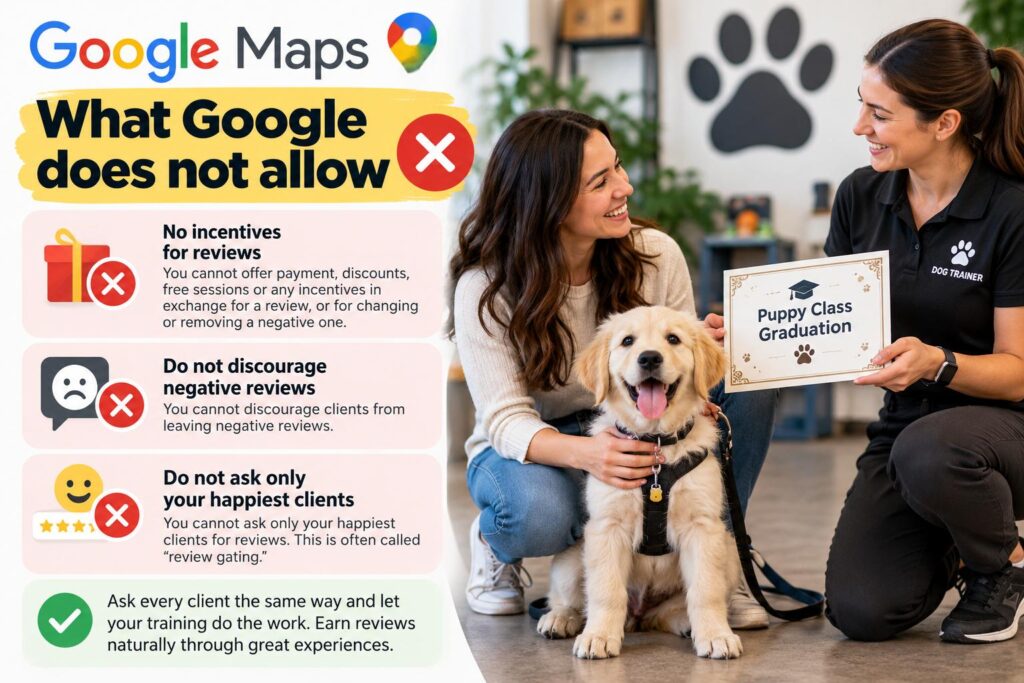
What Google does not allow
Google’s Maps fake engagement policy is strict, and breaking it can get reviews removed or put your profile at risk. According to Google’s own reporting form, businesses may not:
- Offer incentives such as payment, discounts, or free sessions in exchange for any review, or for changing or removing a negative one.
- Discourage negative reviews, or ask only your happiest clients for reviews. That second practice is often called “review gating.”
So no “10% off your next package for a 5-star review.” No survey that sends happy clients to Google and unhappy ones to a private form. Ask everyone the same way, and let your training do the work.
7 Google Business Profile Mistakes Dog Trainers Make
These are the problems that quietly hold trainer profiles back. Most take less than an hour to fix.
- Showing a home address as a storefront. If clients never train at your home, hide the address and set a service area.
- Stuffing the business name with keywords. It breaks Google’s guidelines and puts the whole profile at risk. Use your real name.
- One vague category and no services. “Dog trainer” alone, with nothing in the services list, gives Google very little to match.
- Stock photos only. Owners want to see you with real dogs. Stock images make a profile look like a lead generation front.
- Asking only happy clients for reviews. This is review gating, and Google prohibits it.
- Ignoring reviews. An unanswered negative review stays visible to every owner who checks you out. A calm, short reply shows future clients how you handle problems.
- Setting it up once and forgetting it. Old posts, outdated hours, and last year’s class schedule all signal a business that may not be active.
How to Track Whether Your Profile Is Working
Your Business Profile has a built in performance report. Check it once a month and watch four numbers:
- Calls from your profile
- Website clicks from your profile
- Direction requests (useful for facilities and class venues)
- Search terms people used to find you
The search terms list is gold for trainers. If you see owners finding you for “reactive dog training” but you have no service listed for it, add it. If “board and train” shows up and you do not offer it, you have a decision to make.
Extra tip: Add a tracking tag (called a UTM parameter) to the website link on your profile, such as ?utm_source=google&utm_medium=gbp. Then Google Analytics can show you exactly how many visitors and bookings came from your profile.
Frequently Asked Questions
Is a Google Business Profile free for dog trainers?
Yes. Creating and managing a Google Business Profile costs nothing. You only pay if you choose to run Google Ads, which are separate.
Can I have a Google Business Profile if I train dogs in clients’ homes?
Yes. Set yourself up as a service area business, hide your home address, and list the cities or ZIP codes you serve. Google requires in-home trainers without a storefront to hide their address.
What category should a dog trainer choose on Google?
Choose “Dog trainer” as your primary category. Add secondary categories only for other services you genuinely offer, such as boarding or day care.
How many Google reviews does a dog trainer need?
There is no magic number. What matters is having more recent, genuine reviews than the trainers you compete with locally, and getting new ones steadily rather than in one burst.
Can I create separate profiles for each city I serve?
No. Google allows one profile per business in a metro area, and duplicates can get your account suspended. Use service areas to cover the nearby cities instead. A separate profile only makes sense for a real, separate location where clients are served.
Why isn’t my dog training business showing on Google Maps?
The usual causes are an unverified profile, the wrong business type, a thin profile with no services or photos, very few reviews, or simply being farther from the searcher than other trainers. Work through the steps in this guide, then give it a few weeks and track your results in the performance report.
Start With One Hour This Week
A Google Business Profile for dog trainers is not a one time setup. It is a small weekly habit. Get the business type and category right, list every service, add real photos, and ask every client for a review. Then post something new every week or two.
You do not need to do it all today. Block one hour this week to fix your business type, category, and services. Next week, start your review routine. Small, steady changes are what move a profile up the map.
If you would rather spend that hour training dogs, that is what we are here for. Our SEO for dog trainers service includes Google Business Profile optimization as part of your local SEO plan.
Book your free marketing consultation. We will look at your profile with you and show you the three changes most likely to get you more calls. Book Now